Case study · Spatial computing
Evaluating life-size AR as a stand-in for physical prototypes
Physical prototypes are slow to produce, and screens reduce objects in scale and flatten their motion. This native iPhone and Apple Vision Pro application places a life-size robot concept in participants’ own homes; an at-home study then tested whether AR was sufficient to evaluate it.

Overview
Designer and developer; the third stage of my MSc thesis at UNIST
iPhone with LiDAR, and Apple Vision Pro
Swift, SwiftUI, ARKit, RealityKit, Reality Composer Pro and USDZ
TestFlight, after passing Apple’s review on iOS and visionOS
Participants aged 17 to 29, using their own iPhones in their own homes
Seven designers and engineers, including XR practitioners
Most products are designed long before a working prototype exists. A screen render cannot convey how large an object feels in a hallway, or how its motion reads from a sofa. AR can place a digital twin in its intended environment. The research question is whether people can judge it well enough to inform design decisions.
Two platforms for reach and fidelity
The app targets both reach and fidelity. iPhone brings the study into participants’ homes; Vision Pro shows the same test without a handheld screen in the way.
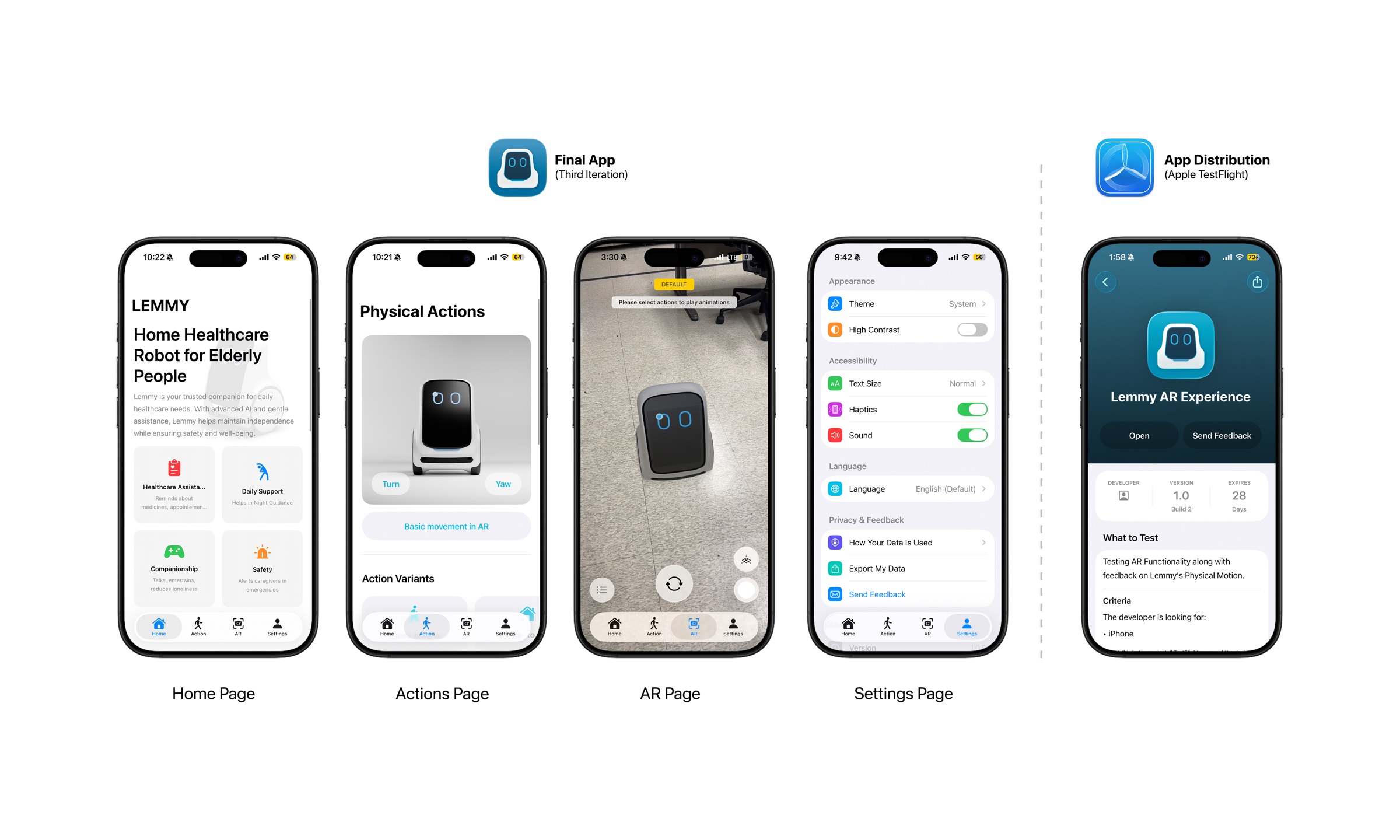
iPhone as a handheld AR viewport
LiDAR on recent iPhones detects the floor quickly and estimates scale well, and phones reach a far wider pool of participants than headsets. The trade-off: the robot is viewed through a small screen held at arm’s length, which reduces presence and causes arm fatigue.
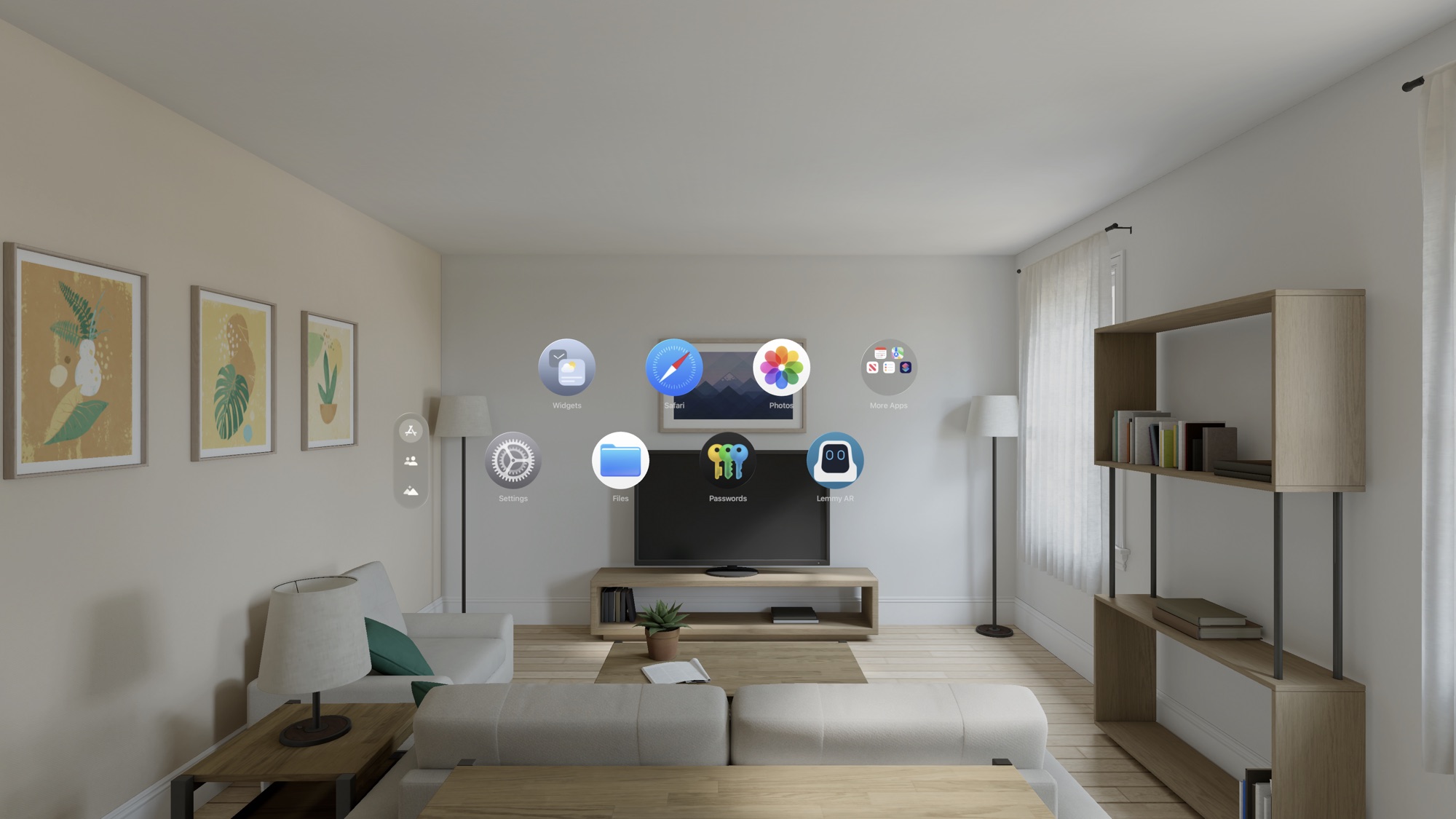
Apple Vision Pro for high-fidelity presence
Stereo passthrough and a high-density display make small posture changes and wheel rotation legible, and eye and hand input replace controllers. The visionOS version pairs a menu window with an immersive space.
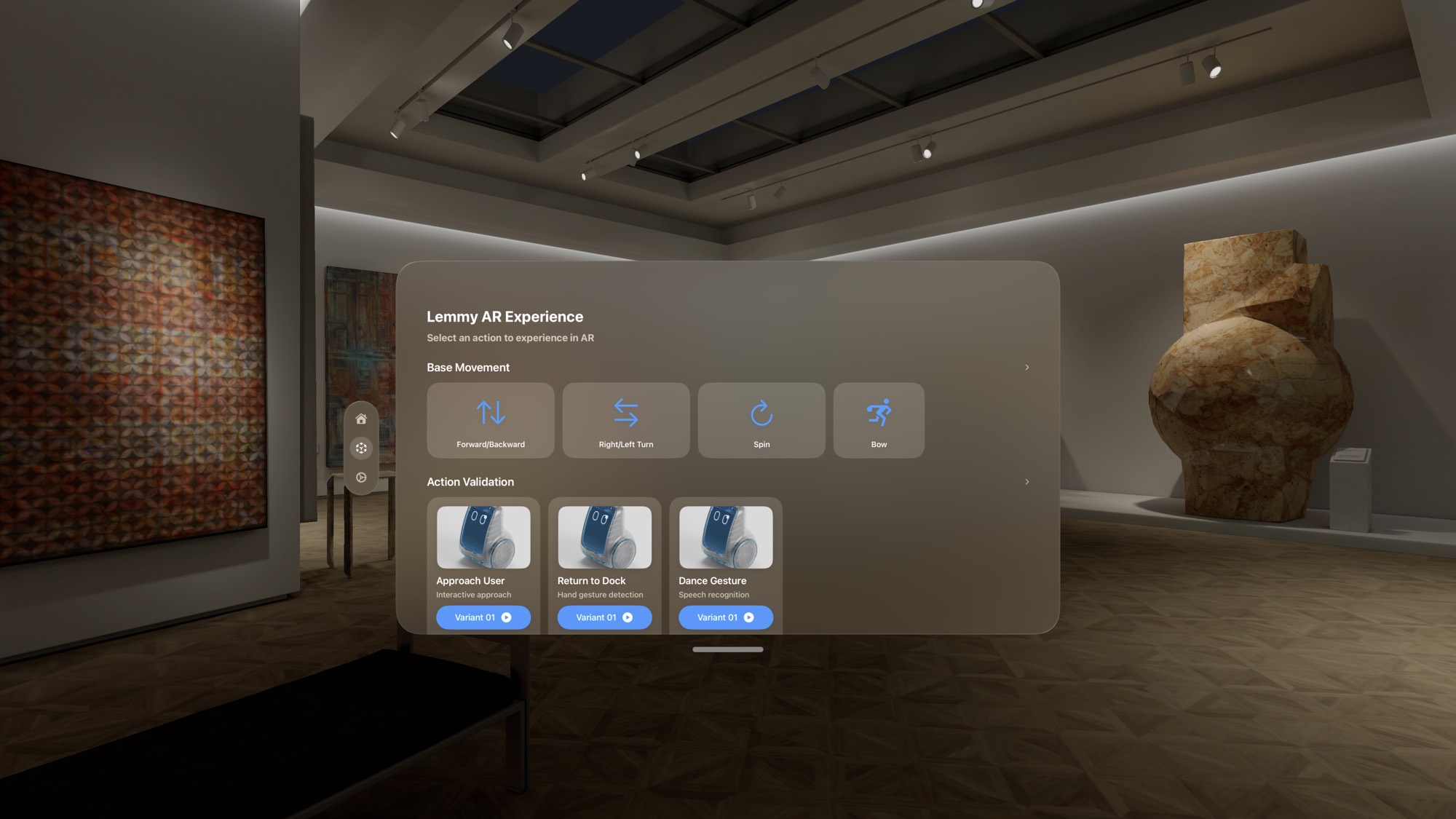
An interface that defers to the physical environment
The interface follows Apple’s Human Interface Guidelines for immediate familiarity. Translucent, Liquid Glass-style panels keep the room visible, since the room is the evaluation context.
-
1
Version one: camera access and overlay conventions
Navigation, camera permission, and tests of how buttons and overlays should sit over the real world.
-
2
Version two: robot model and action library
The full 3D model, an actions page and settings. Selecting a variant, such as “Approach user, variant 1,” opens that animation in AR.
-
3
Version three: release for participants
An interactive 3D preview and a sheet that groups actions as base, functional and expressive, keeping the AR view uncluttered.
Grounding cues for perceived scale
People judge size from contact and lighting cues. The robot must appear to stand on the floor rather than float in front of the camera.
Floor anchoring
ARKit detects horizontal planes classified as floor, and the robot’s coordinate system is bound to the ground rather than the camera.
Environment lighting
Environment lighting estimation and a grounding shadow tie the virtual robot to the real lighting and surface beneath it.
Pinch to pause
A pinch pauses any animation, allowing a researcher to freeze the robot at a key point in its motion for close inspection.
Pipeline
One asset pipeline from engineering CAD to AR
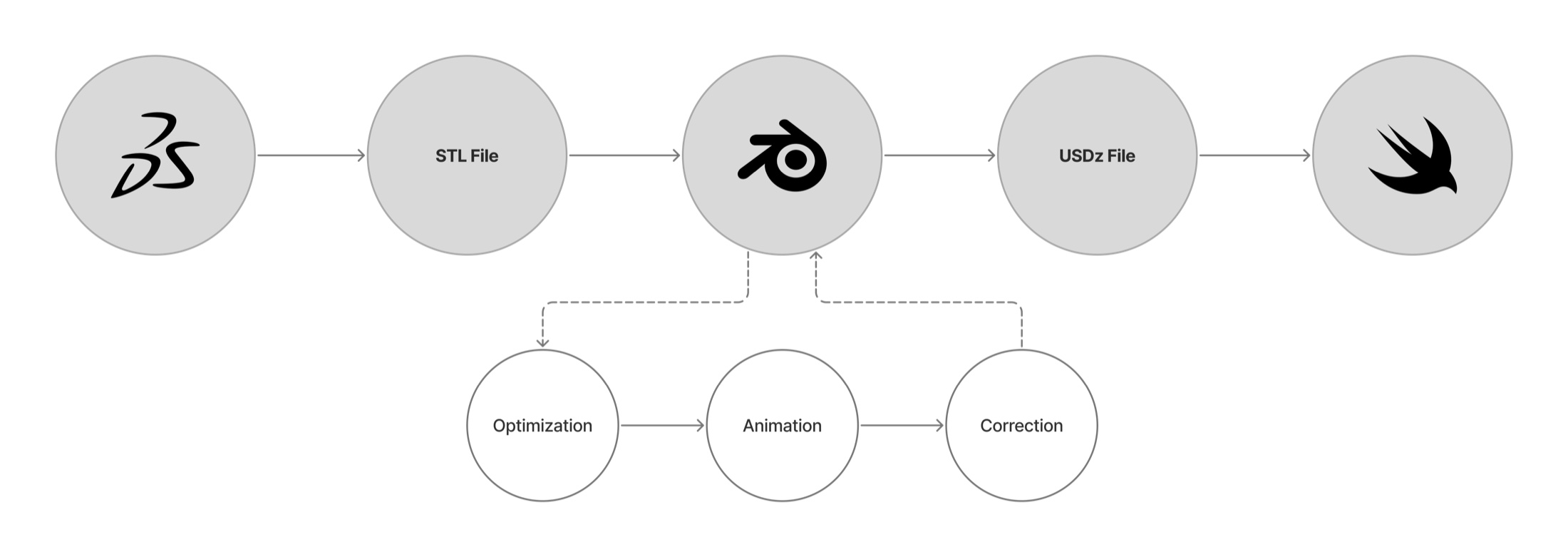
Each animation originates from the robot’s engineering CAD, is optimized and animated in Blender, validated with my True RoboAnimator add-on, and exported as USDZ. Materials are tuned in Reality Composer Pro before the assets are bundled in the app.
On Vision Pro, the model stood approximately half a meter tall in a living-room scene, at knee height beside the furniture, matching the intended hardware.
An at-home study distributed through TestFlight
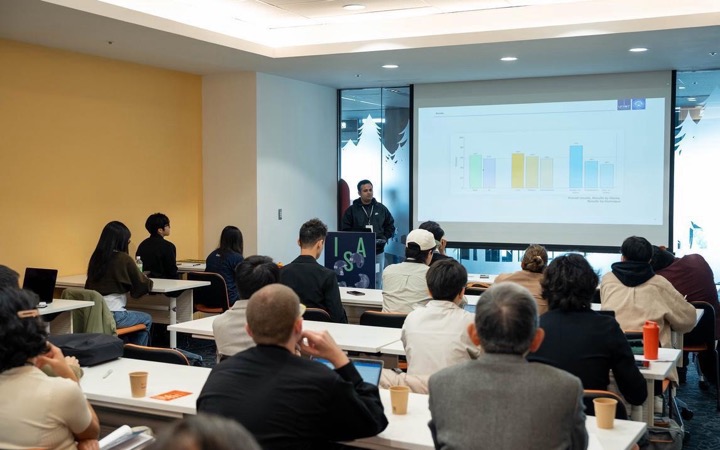
Participants installed the app through TestFlight and observed the robot in their own rooms. Younger adults were recruited deliberately, as people fluent in mobile interfaces give sharper feedback on the medium itself.
Motion preference
Identical actions assembled from different motion components, rated on 10-point scales.
Emotion recognition from motion
Seven expressive actions, identified by number only. Participants wrote down the emotion they perceived.
Usability of the AR application
Ease of use, clarity of controls, stability, and the extent to which AR helped participants interpret the robot.
AR conveyed scale and path, but not emotion
Participant ratings of the AR experience
Mean rating out of 10, on participants’ own iPhones at home.
Scale, orientation and path were legible. Participants could judge the robot’s size, the direction it faced and where it was heading, relative to their own furniture.
Motion alone did not convey emotion. Six participants read “happy” as excited or energetic, but “fear” was often read as efficient or guarding, and fast actions as alertness. Many participants used pet metaphors, such as “excited dog.”
In AR, younger participants preferred predictable motion. The top-rated version combined a static posture, a straight path and normal speed (8.0 of 10). Older adults in the earlier study had preferred a more expressive, dynamic posture.
Expert check
Experts endorsed AR testing, with stated limits
Seven designers and engineers reviewed the full framework. They rated “AR testing gives valid insights” 8.6 out of 10, the highest-rated statement. They also identified what AR cannot convey: motor noise and the robot’s weight.
Mean agreement from seven experts in design, robotics and XR.
Implications for XR design practice
Test in the deployment context
A living room answers questions about scale and paths that no render can, and AR allows that test before the hardware exists.
Motion alone is insufficient for expression
Spatial presence was conveyed; subtle emotion was not. Expression needs sound, a face and timing, not movement alone.
Match the device to the research question
Phones for reach and quantitative data, headsets for fine motion and presence. A single native build can support both.
Limitations. The study was small and exploratory, and all participants were young. It ran on iPhone; Vision Pro was used to develop and validate the experience, not for the study. Future work will move the earlier preference studies into AR and compare AR directly with screen-based testing.